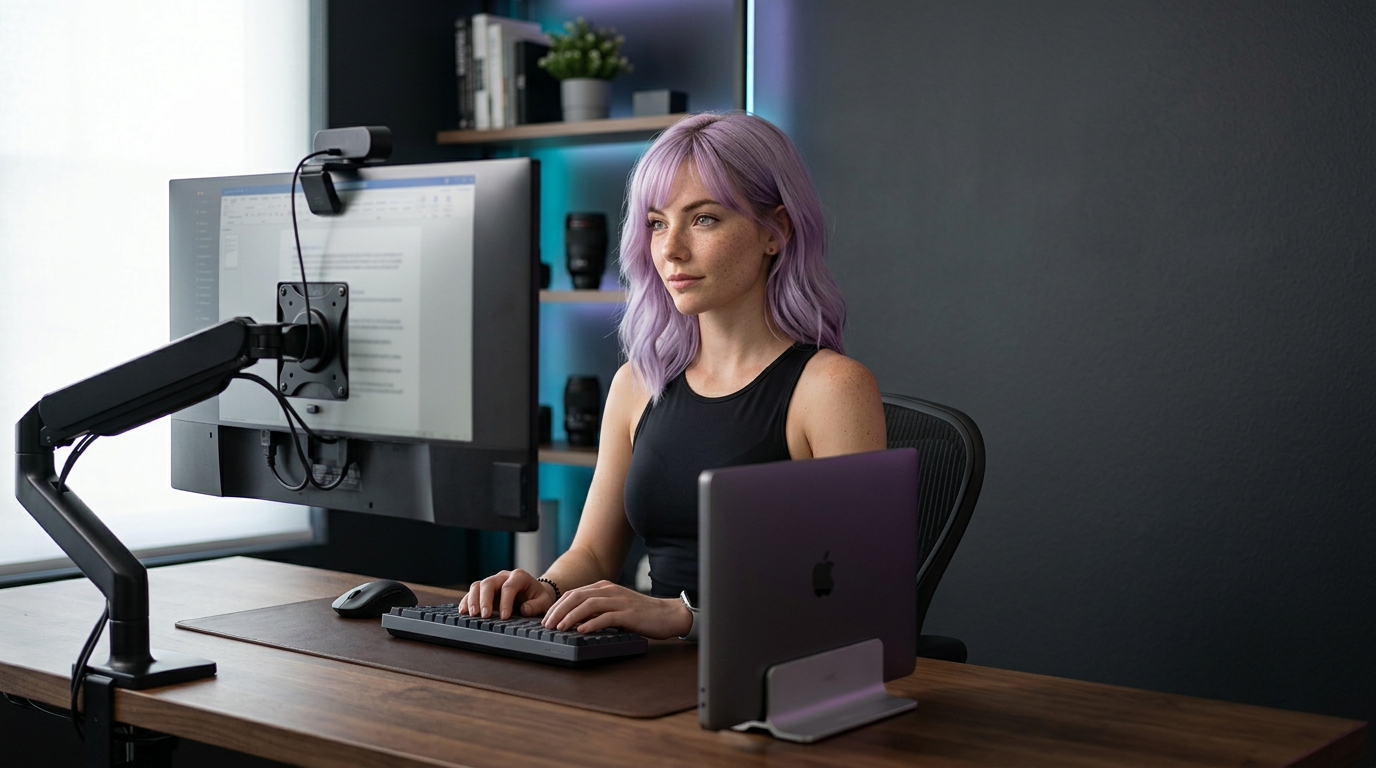
Give it a proper mount, sensor, and mic backup:
- Cam Logitech Brio 4K or Dell UltraSharp 4K. Both handle focus and exposure well in a docked-laptop setup.
- Mount Smallrig desk clamp with 1/4" ball head so you can center it to your monitors.
- Cable 2m USB-C to USB-C; route behind the monitor arm so it never tugs.
- Audio Keep a wireless lapel (Rode Wireless ME) handy in case your keyboard gets loud.
- Setup Lock exposure/white balance in the webcam app, then never touch it again.
You get consistent framing even with the lid closed and no janky stack of books. For the broader buyer comparison, read best webcams for remote work and YouTube and then tighten the lighting with the Zoom lighting setup.
If your docked setup keeps drifting out of frame, the problem is usually mounting geometry, not the camera. Center the webcam first, then lock the settings, and the whole setup gets much less annoying to live with.
Related Guides
- How to Look Better on Zoom Without Buying a New Camera
Fix bad Zoom video fast with better lighting, framing, webcam settings, and background choices before you buy a new camera.
Related Reviews
- Logitech Brio 4K
A dependable 4K webcam for remote workers, presenters, and telehealth setups that need strong exposure handling without turning the desk into a camera project.
Related Comparisons
- Best Webcams for Remote Work and YouTube (2026)
A practical webcam shortlist for meetings and creator workflows, with tradeoffs that matter more than headline resolution.
Related Posts
- Best Gear for Creators: A Practical Kit for Video, Audio, Editing, and Focus
A workflow-first gear list for creators who need better video, cleaner audio, stable editing storage, and a desk setup that does not slow the work down.
Referenced In Comparisons
- Best Tripods and Desk Mounts for Creators (2026)
A practical guide to choosing tripods, desk mounts, clamps, arms, and gimbals for creator setups that need stable framing without desk chaos.
