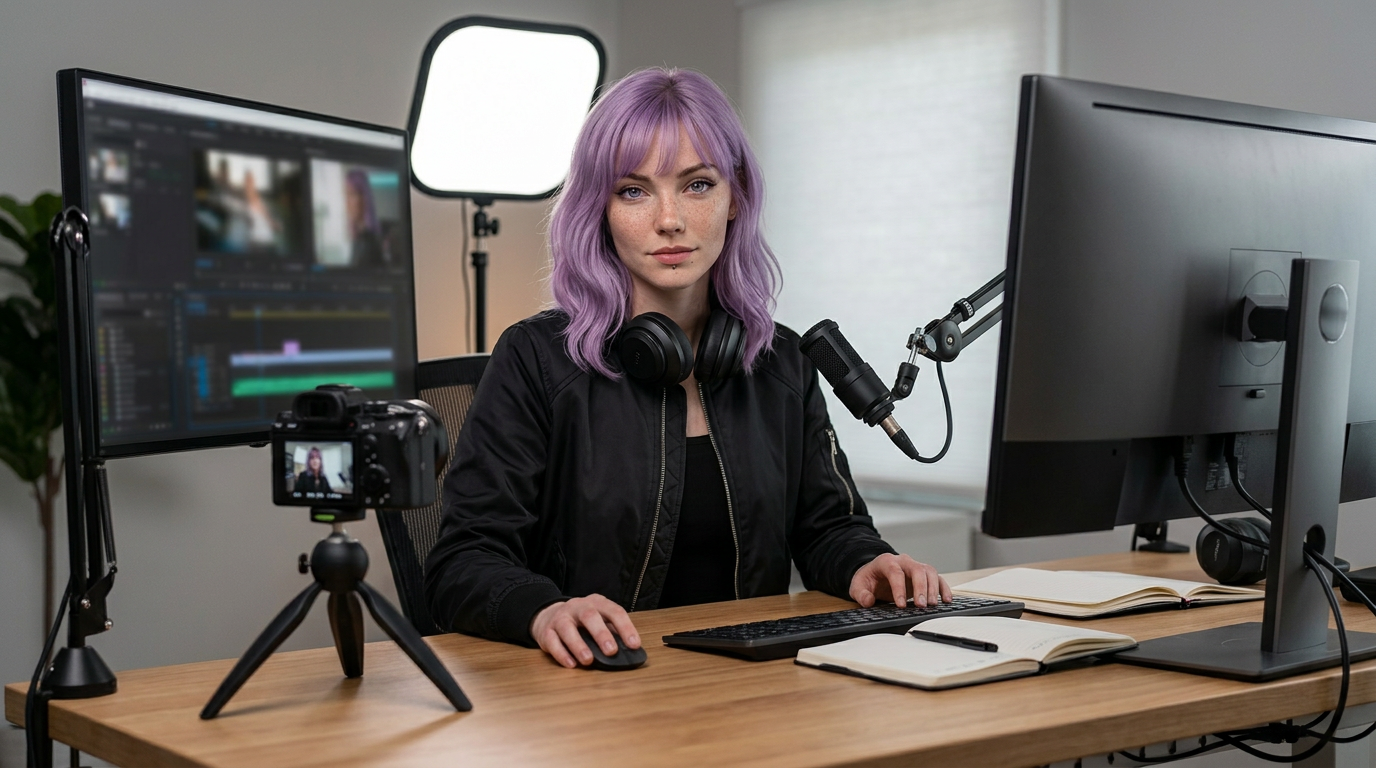
The best gear for creators is not the most expensive kit. It is the gear that removes friction from the next publish.
That is the filter. If a piece of creator gear makes the image clearer, the voice easier to understand, the file safer, or the recording process faster, it has a job. If it only makes the setup look more serious on a shopping page, wait.
For most creators, the right stack has nine jobs: capture clean video, record understandable audio, hold the frame steady, control light, protect files, edit without bottlenecks, keep the background intentional, switch tasks quickly, and keep the desk comfortable enough to use every day. Buy in that order and the setup gets better without turning into a gear museum.
As an Amazon Associate I earn from qualifying purchases.
Quick creator gear picks#
- Camera: Sony ZV-1F Amazon ↗(read review) for simple dedicated video capture when a phone is no longer enough.
- Webcam: Insta360 Link 2 Pro Amazon ↗(read review) when desk video, tracking, and low-light handling matter more than interchangeable lenses.
- Microphone: Elgato Wave:3 Amazon ↗(read review) for a clean USB mic with creator-friendly software routing.
- Lighting: Elgato Key Light Amazon ↗(read review) for controllable soft light that makes camera quality more consistent.
- Storage: Samsung T7 Shield 2TB Amazon ↗(read review) for portable project backups and scratch files.
- Monitor: BenQ PD3225U 32 Inch 4K IPS Black UHD Thunderbolt Monitor Amazon ↗(read review) for color-aware editing and a larger review canvas.
- Controls: Elgato Stream Deck MK.2 Amazon ↗(read review) for scene changes, macros, timers, and repeatable publishing actions.
If you are new, do not read that list as a shopping cart. Read it as a map. You probably need two or three upgrades now, not every category at once.
The simple buying order#
Creator gear gets easier to choose when you stop asking “what is the best?” and start asking “what is the next bottleneck?”
- Can people hear you clearly? If not, fix the mic and room first.
- Can people see you clearly? If not, fix lighting and camera placement before chasing a new camera.
- Is the shot stable? If not, buy a tripod, clamp, arm, or stand.
- Can you finish and protect the work? If not, fix storage, backups, and editing workflow.
- Can you repeat the setup quickly? If not, add a dock, control surface, templates, and cable discipline.
That order is not glamorous. It is useful. Most creator setups improve fastest when the boring failure points disappear.
Essential creator equipment checklist#
Most ranking pages for this topic are built around the same checklist because the basics really do matter. The difference is the buying order.
| Gear category | Why it matters | Buy it when |
|---|---|---|
| Phone, webcam, or camera | Captures the image | Your current camera limits focus, quality, framing, or recording time |
| Tripod, arm, or stabilizer | Keeps footage watchable | Your videos shake, drift, or need repeatable framing |
| Microphone | Makes speech usable | You talk, teach, stream, interview, or record voiceovers |
| Lighting | Makes every camera look better | Footage looks grainy, flat, or inconsistent across sessions |
| Computer or tablet | Handles editing and file movement | Editing time is slowing publishing down |
| External storage | Protects footage and project files | You record video regularly or work across devices |
| Editing software | Turns clips into finished work | You need pacing, captions, color, thumbnails, or repeatable exports |
| Backdrop or room treatment | Gives the frame visual consistency | Your background distracts from the content |
| Capture card or teleprompter | Solves specific production needs | You stream external devices or read scripts on camera |
What gear actually changes the final content?#
Not every upgrade has the same impact. A camera body may be more exciting than a light, but the light often changes the image more. A fancy desk setup may feel productive, but a clean backup routine saves the video you already shot.
High-impact early upgrades: microphone, key light, stable mount, simple file backup, clean background.
High-impact once you publish regularly: dedicated camera or better webcam, faster SSD, color-aware monitor, docked workstation, repeatable editing templates.
Nice later, risky early: gimbal, teleprompter, capture card, multiple lenses, RGB accent lights, large control surface, extra monitors. These are valuable when they solve a real production problem. They are clutter when they are bought as proof that the setup is “serious.”
Start with the capture problem#
Do not buy a camera because the word “creator” is on the box. Buy one when your current capture tool creates a specific problem: unreliable focus, weak low-light footage, awkward framing, overheating, storage pressure, or footage that falls apart in brand edits.
If you mostly film talking-head videos, product demos, desk tutorials, and short-form clips, the Sony ZV-1F Amazon ↗(read review) is the clean dedicated-camera lane. It keeps the kit compact and avoids the cost spiral of camera bodies, lens mounts, cages, and accessories before you know what you need.
If your work happens mainly at the desk, a strong webcam can be the smarter buy. The Insta360 Link 2 Pro Amazon ↗(read review) fits creators who need calls, tutorials, live sessions, and quick recordings without setting up a full camera every time.
Here is the useful split:
| Choose this | If your real workflow is |
|---|---|
| Phone | Short-form clips, casual vlogs, quick product shots, mobile-first creation |
| Webcam | Desk tutorials, calls, streaming, courses, Loom-style explainers |
| Compact camera | Talking-head videos, product reviews, YouTube, creator brand work |
| Mirrorless kit | More serious production where lenses, depth of field, and color workflow matter |
The right camera is the one you will actually set up before the idea goes cold.
Stability is not optional#
Tripods, desk arms, clamps, and gimbals are boring until the footage gets shaky. A stable frame makes a beginner setup look intentional because the viewer can relax into the shot instead of tracking every hand movement.
Use a tripod or desk mount for talking-head videos, product demos, lessons, podcasts, and overhead shots. Use a gimbal only when the content genuinely involves movement: travel clips, fitness videos, walkthroughs, events, or mobile-first vlogging. A cheap stable tripod usually beats an expensive gimbal that never leaves the drawer.
For desk creators, stability also means repeatability. Mark the tripod height. Keep the webcam mount in the same position. Save the camera framing. The first minute of a session should not be spent rediscovering yesterday’s shot.
Fix audio before chasing cinematic video#
Bad audio makes good video feel amateur. A close, consistent mic is one of the highest-return upgrades for creators who teach, review, stream, record voiceovers, or deliver client updates.
The Elgato Wave:3 Amazon ↗(read review) is a practical first serious mic because it solves more than capture. The software routing matters when you need to separate browser audio, music, call audio, and mic levels without rebuilding your setup for every recording.
If your room is echo-heavy, pair the mic upgrade with placement discipline: get the mic closer, reduce hard reflections near the desk, and avoid recording with bare walls directly behind the microphone. A better mic in a bad room still sounds like a bad room.
For most creators, the mic choice is less important than the mic position. A modest USB mic close to your mouth usually beats a premium mic sitting across the desk. Keep the voice close, the gain lower, and the room quieter.
Use this rough lane:
| Mic type | Best for | Watch out for |
|---|---|---|
| USB desktop mic | Desk tutorials, podcasts, calls, streaming | Needs close placement and room control |
| Lavalier mic | Phone vlogging, interviews, courses, movement | Clothing rustle and weak wireless habits |
| Shotgun mic | Camera-mounted video, controlled shoots | Bad rooms still sound roomy |
| Headset mic | Gaming, live teaching, long calls | Less polished look on camera |
Lighting is the camera upgrade people skip#
Lighting controls the image before the camera ever sees it. A phone or webcam with good light often beats a better camera under overhead bulbs.
The Elgato Key Light Amazon ↗(read review) is useful because it gives repeatable brightness and color temperature. That consistency matters when you film tutorials over several days, batch record short videos, or need your face and product shots to match from take to take.
For small setups, start with one soft key light placed slightly above eye level and off-axis from the camera. Add ambient or accent light later only if the frame still feels flat.
The goal is not “bright.” The goal is controlled. Turn off harsh overhead lights if they create shadows under your eyes. Keep the key light soft enough that you can work under it for a full recording block. Match the color temperature to the room so your skin tone does not drift between clips.
If you wear glasses, move the light higher and farther off-axis before buying another camera. Reflections are geometry. Fix the angle first.
Software is part of the gear stack#
Editing software is not just a finishing tool. It decides how fast you can cut, caption, color, export, thumbnail, and repurpose the same idea across platforms.
Choose the simplest tool that fits the deliverable:
| Content type | Software lane |
|---|---|
| Short-form social clips | CapCut, native platform editors, or a lightweight mobile editor |
| YouTube and client video | DaVinci Resolve, Final Cut Pro, or Adobe Premiere Pro |
| Photo batches and thumbnails | Lightroom, Photoshop, Canva, or a template-driven design tool |
| Voice cleanup and podcasts | Audacity, Adobe Audition, or the audio tools inside your editor |
The trap is buying hardware to solve a workflow problem that is really software friction. If exports, captions, templates, and file organization are the bottleneck, a new camera will not fix the publishing rhythm.
Build templates before you build a studio. A reusable project folder, title preset, thumbnail layout, audio chain, export preset, and publishing checklist will save more time than another accessory sitting on the desk.
Storage is creator insurance#
Every creator eventually learns the same lesson: footage is cheap until it disappears.
The Samsung T7 Shield 2TB Amazon ↗(read review) is the practical portable SSD lane for active projects, scratch files, and fast handoff between laptop and desktop. It does not replace a real backup plan, but it stops the daily project folder from living only on one machine.
Use a simple rule: active project on the editing machine, mirrored copy on the SSD, final export and source files archived somewhere separate. If the file only exists in one place, it is not stored; it is waiting to become a problem.
For video creators, storage also shapes behavior. If your drive is full, you stop recording extra takes. If project folders are messy, you avoid revisiting good ideas. A clean storage system makes creative work feel less fragile.
Use boring names:
YYYY-MM-DD-project-nameA-rollB-rollAudioExportsThumbnailsArchive
The names are not clever. That is why they work at 1:00 a.m.
The editing desk matters more than desk aesthetics#
Creator desk setup advice often drifts into decoration. The useful question is simpler: can you sit down, plug in, see accurately, hear clearly, and start working without moving six things first?
For visual editing, the BenQ PD3225U 32 Inch 4K IPS Black UHD Thunderbolt Monitor Amazon ↗(read review) gives creators a larger 4K canvas with color-aware features. That helps when you are grading, checking thumbnails, comparing exports, or keeping a timeline and preview visible without constant window shuffling.
For laptop-based creators, the Twelve South Curve Flex Stand Amazon ↗ fixes the posture problem before you start adding bigger gear. Raise the laptop, add an external keyboard and mouse, and the whole editing session gets easier to sustain.
The best creator desk setup is quiet in use. Cables have a path. The mic does not block the keyboard. The light does not blind you. The camera sits at eye level. Storage is reachable. The chair and monitor height let you edit longer without bargaining with your neck.
That is not aesthetic minimalism. That is operational calm.
Backdrop, capture card, and teleprompter: useful, not universal#
A backdrop does not have to mean a fake studio wall. It can be a clean shelf, a consistent room angle, a fabric roll, or a plain wall with controlled light. What matters is repeatability: the audience should not be distracted by laundry, cable clutter, or a background that changes every upload.
A capture card belongs in the kit if you stream games, record console footage, bring a camera feed into streaming software, or present from an external device. If you only record into a camera or webcam, skip it until the workflow requires one.
A teleprompter helps when wording matters: educational videos, scripted explainers, reviews, sales pages, courses, and client-facing content. It is not a creativity upgrade. It is a retake reducer.
These are second-wave purchases. Add them after you know the format you are repeating. A creator who records scripted explainers every week may love a teleprompter. A creator who improvises desk reviews may hate it. A streamer with console footage needs a capture card. A talking-head educator may never touch one.
A dock turns loose gear into a repeatable workstation#
When the creator setup includes a camera, mic, storage, monitor, charger, and capture accessories, the desk can become cable drift. A dock is not exciting, but it is often the difference between a setup you use and a setup you avoid.
The Anker 778 Thunderbolt Dock Amazon ↗(read review) is for creators who want a single-cable desk: display, storage, charging, and peripherals stay wired into the workstation while the laptop comes and goes.
The dock is not about ports for their own sake. It is about reducing setup friction. If the mic, camera, display, SSD, Ethernet, and charger are already where they belong, you are more likely to record the idea while it is still alive.
Stream controls are for repetition, not vanity#
A control surface is worth buying when you repeat actions constantly: start recording, mute mic, switch scenes, launch editing presets, insert text, trigger timers, open folders, or run publishing checklists.
The Elgato Stream Deck MK.2 Amazon ↗(read review) earns its place when it saves attention, not just clicks. Set it up around workflows rather than icons: record, edit, publish, admin, and shutdown.
Start with a small set of buttons:
- Start or stop recording
- Mute microphone
- Open project folder
- Launch editor
- Trigger focus mode
- Insert description template
- Start upload checklist
If a button does not save attention, delete it. Empty slots are better than fake productivity.
What to buy first#
If the setup is still rough, buy by bottleneck:
| Problem | First upgrade |
|---|---|
| Viewers cannot hear you clearly | USB mic and closer placement |
| Video looks grainy or inconsistent | Soft key light |
| Camera framing is unstable | Tripod, stand, or webcam mount |
| Editing feels cramped | Better monitor or laptop stand |
| Files are scattered | Portable SSD and backup routine |
| Setup takes too long | Dock and control surface |
This order keeps the money tied to observable friction. The point is not to own every category. The point is to stop losing time before the work even starts.
Budget tiers that make sense#
Budget advice gets useless when it pretends every creator has the same starting point. Use these tiers as upgrade logic, not strict shopping totals.
The starter creator kit#
Use the phone or laptop camera you already have. Add a stable mount, a basic mic, and one soft light. Spend the rest of the energy learning framing, audio placement, and repeatable editing.
This is the correct lane for short-form creators, early YouTube channels, student projects, hobby podcasts, and anyone still testing whether the format is worth repeating.
The serious desk creator kit#
Add a better webcam or compact camera, a stronger USB mic, reliable key light, portable SSD, and a clean docked desk. This is where tutorials, reviews, client updates, streams, and courses start to feel consistent.
The goal is not studio cosplay. The goal is a setup that takes five minutes to start, not forty-five.
The production-minded kit#
Add the pieces that match the format: color-aware monitor, teleprompter, capture card, backup storage, acoustic treatment, second light, and better camera support. This tier only makes sense when publishing frequency or client work justifies the extra complexity.
If the gear increases setup time more than it improves the output, it is not an upgrade yet.
Setup paths by creator type#
Different creators need different first kits. A phone-first TikTok creator, a desk educator, and a gaming streamer should not buy the same bundle.
| Creator type | Start here | Add later |
|---|---|---|
| Phone-first short-form creator | Phone, tripod grip, lav or compact wireless mic, small LED light | Portable SSD, gimbal, better editing workflow |
| Desk educator or reviewer | Webcam or camera, USB mic, soft key light, stable desk mount | Teleprompter, monitor, Stream Deck |
| YouTube video maker | Camera or strong webcam, mic, tripod, key light, SSD | Color-aware monitor, backup storage, better room treatment |
| Streamer or gameplay creator | Mic, webcam, light, capture card if using console, reliable dock | Control surface, second monitor, acoustic treatment |
| Client-facing creator | Clean camera lane, reliable mic, repeatable lighting, backup storage | Color-accurate display, scripted workflow, redundant storage |
Common creator gear mistakes#
The expensive mistake is upgrading everything at once. If you change the camera, mic, light, desk, software, and monitor in the same week, you will not know what helped.
Other mistakes show up constantly:
- Buying a camera before fixing the light.
- Buying a microphone and leaving it too far away.
- Buying a gimbal for static desk videos.
- Buying a capture card before knowing what signal needs capture.
- Buying a teleprompter before writing scripts consistently.
- Recording to one drive with no backup.
- Building a beautiful desk that is annoying to record at.
- Treating editing software like an afterthought.
Make one change, record a real piece of content, then decide what still hurts.
The baseline I would build first#
If I had to build one creator setup from scratch without knowing the exact niche, I would keep it boring:
- Phone, strong webcam, or compact camera.
- Stable tripod or desk mount.
- USB mic close to the speaker.
- Soft key light at a repeatable angle.
- Portable SSD with a simple folder system.
- Comfortable laptop stand or external monitor.
- Editing software with saved templates.
- Clean background that can stay clean.
That setup can record a course, a YouTube review, a client update, a podcast clip, a livestream, or short-form social content. It is not the final studio. It is the first setup that stops fighting you.
Related creator setup guides#
- Best Key Lights for Zoom, Streaming, and YouTube
- Best Microphones for Noisy Home Offices
- Best Monitors for Coding, Editing, and Creator Work
- Best Webcams for Remote Work and YouTube
FAQ#
What gear does a beginner creator need first?#
Start with the phone or camera you already own, then add stable framing, clear audio, and controllable light. Those upgrades improve most creator footage before a new camera body does.
Should I buy a camera or microphone first?#
Buy the microphone first if your content includes speech. Buy the camera first only if focus, recording limits, or image quality are the actual blocker.
Is a creator desk setup worth it?#
Yes, if the desk reduces setup time. A good creator desk keeps camera, mic, light, storage, and editing tools ready without rebuilding the workspace every session.
What should I avoid buying early?#
Avoid specialty lenses, decorative RGB gear, oversized monitors, and complex control surfaces until the core workflow is stable. Buy the boring fix first when it removes the bottleneck.
What is the best vlogging gear for beginners?#
Start with a phone or compact camera, a tripod grip, a small mic, and one portable light. Add a gimbal only if walking shots are central to the content.
How much should a new content creator spend on gear?#
Spend enough to fix the current bottleneck. For many beginners, audio, lighting, and stability create a bigger quality jump than a new camera.
Do I need a capture card?#
Only if you need to bring an external video source into the computer, such as console gameplay, a camera HDMI feed, or another device. Many creators do not need one at the start.
Is a teleprompter worth it?#
It is worth it if scripts save retakes or keep client-facing videos tight. It is unnecessary if your best content is conversational and unscripted.
