
Gear Picks
15 posts

Best Mechanical Keyboards for Developers
How this page was put together: layouts, connections and firmware come from Keychron’s and Logitech’s listings, as recorded in our product data, with the QMK and VIA descriptions from the QMK documentation and VIA’s site. Owner context comes from Amazon’s customer-review summaries. We haven’t coded on these keyboards ourselves.
What a developer actually needs#
- Programmability. QMK firmware lets you put any key anywhere and stack layers, so brackets, arrows and editor shortcuts land under your home row. VIA does the same from an app.
- Layout. Dropping the numpad brings the mouse closer. Dropping the arrows and function row costs most developers more than it saves.
- Multi-device. A work laptop, a personal machine and maybe a Linux box: a board that remembers three Bluetooth devices, or adds a dongle, saves a cable swap.
- Quiet enough for calls. Pair programming and standups run all day, and a microphone picks up a clicky switch.
Best Silent Keyboards for Quiet Spaces
How this page was put together: the switch and build facts come from CHERRY’s MX2A Silent Red page, Logitech’s product and support pages, Keychron’s V6 Max page and each Amazon listing. Owner context comes from Amazon’s customer-review summaries on those listings and a 2014 AnandTech forum thread on typing near a sleeping partner. All were read on October 8, 2026. We haven’t typed on these keyboards ourselves, and none of the sources publish a decibel measurement, so this page doesn’t quote one.
Read →
Keychron K8 Pro vs Q1 Pro vs V6 Max: Which Pro-Line Board to Buy
How Keychron’s three QMK/VIA Pro-line boards actually differ — layout, build, and wireless — and which one fits your desk and workflow.
Read →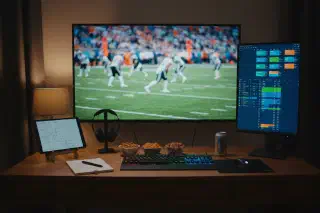
Best Second-Screen Setup for Fantasy Football
Best second-screen setup for fantasy football — vertical monitors for stat lists, ultrawides for multi-window broadcasts, and tablet arms for iPad fantasy apps.
Read →
Best Gear for Creators: A Practical Kit for Video, Audio, Editing, and Focus
A workflow-first gear list for creators who need better video, cleaner audio, stable editing storage, and a desk setup that does not slow the work down.
Read →
Best Insoles for Work Boots (2026)
Work boots magnify bad insoles fast. The right insert can make an old boot usable again, but only if it brings enough structure to match the boot.
Read →
Best Insoles for Standing All Day (2026): Flat Feet, High Arches, Concrete Floors
The best insoles for standing all day are the ones that keep shape under static weight, stabilize the heel, and still feel wearable after hour six.
Read →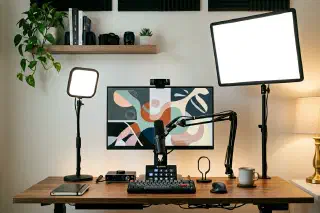
Best Key Lights for Zoom, Streams, and YouTube (2026)
A practical key-light shortlist for creators and remote workers who need better video without blinding desk setups.
Read →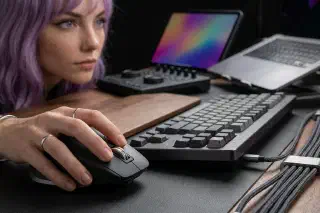
Best Mice for Editors, Coders, and Multi-Device Setups (2026)
A practical mouse shortlist for coders and editors who need comfort, precision, and fast switching across multiple devices.
Read →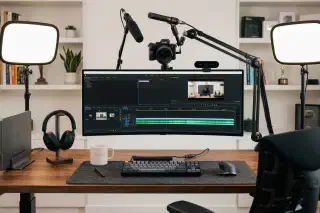
Best Webcams for Remote Work and YouTube (2026)
A practical webcam shortlist for meetings and creator workflows, with tradeoffs that matter more than headline resolution.
Read →